
AI Training Plans: Stop Writing the Same Programme Over and Over
Writing training plans is one of those jobs that sounds quick until you're doing it for the twelfth time that week. Upper body session for a beginner. Full body circuit for someone coming back from injury. Fat loss programme for a member who only has access to free weights. Each one takes 20–30 minutes if you're doing it properly.
Multiply that across your member base, and you're looking at a significant chunk of your week spent on admin — not coaching.
ClearGym now includes AI-assisted training plan generation. Describe what you want, hit Generate, and you'll have a structured session ready to review in seconds.
What It Actually Does (No Hype)
It's not magic. It doesn't know your members personally, and it won't replace a good trainer's judgement. What it does is take care of the blank-page problem — giving you a competent first draft that you can adjust, not a finished product you're supposed to send blindly.
You describe the programme, pick equipment and experience level, and the AI returns a structured session with exercises, sets, reps, rest periods, and categories. You look it over, tweak whatever needs tweaking, and send it to the member.
The whole thing takes a couple of minutes instead of half an hour.
How to Create an AI Training Plan
Step 1: Open a Member's Training Plans
Navigate to any member's profile and open their Training Plans tab. You'll see any existing plans — drafts and sent — with the option to create a new one.
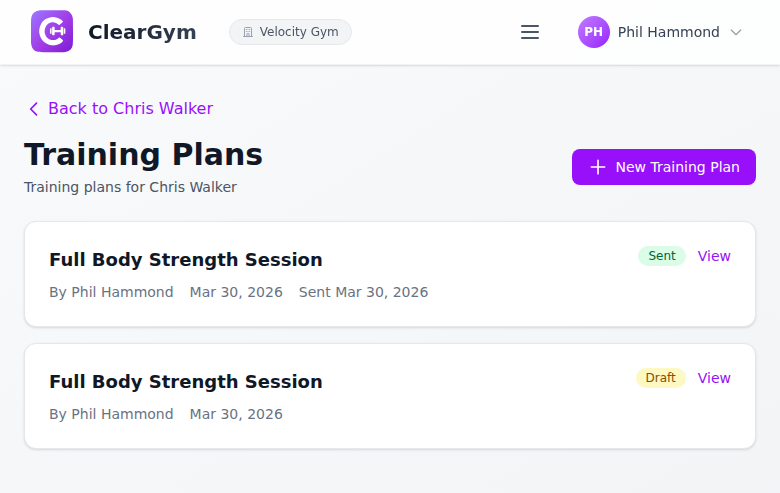
Hit New Training Plan to open the plan builder.
Step 2: Open the AI Panel and Describe the Session
The create form has a "Generate with AI" panel. Open it and you'll see:
- Quick start chips — one click to populate the description with common session types like "Full body strength," "Upper body," "Fat loss circuit," or "Mobility & rehab"
- A free-text description field — describe exactly what you want in plain English
- Equipment selection — Full gym, Free weights, or Bodyweight only
- Experience level — Beginner, Intermediate, or Advanced
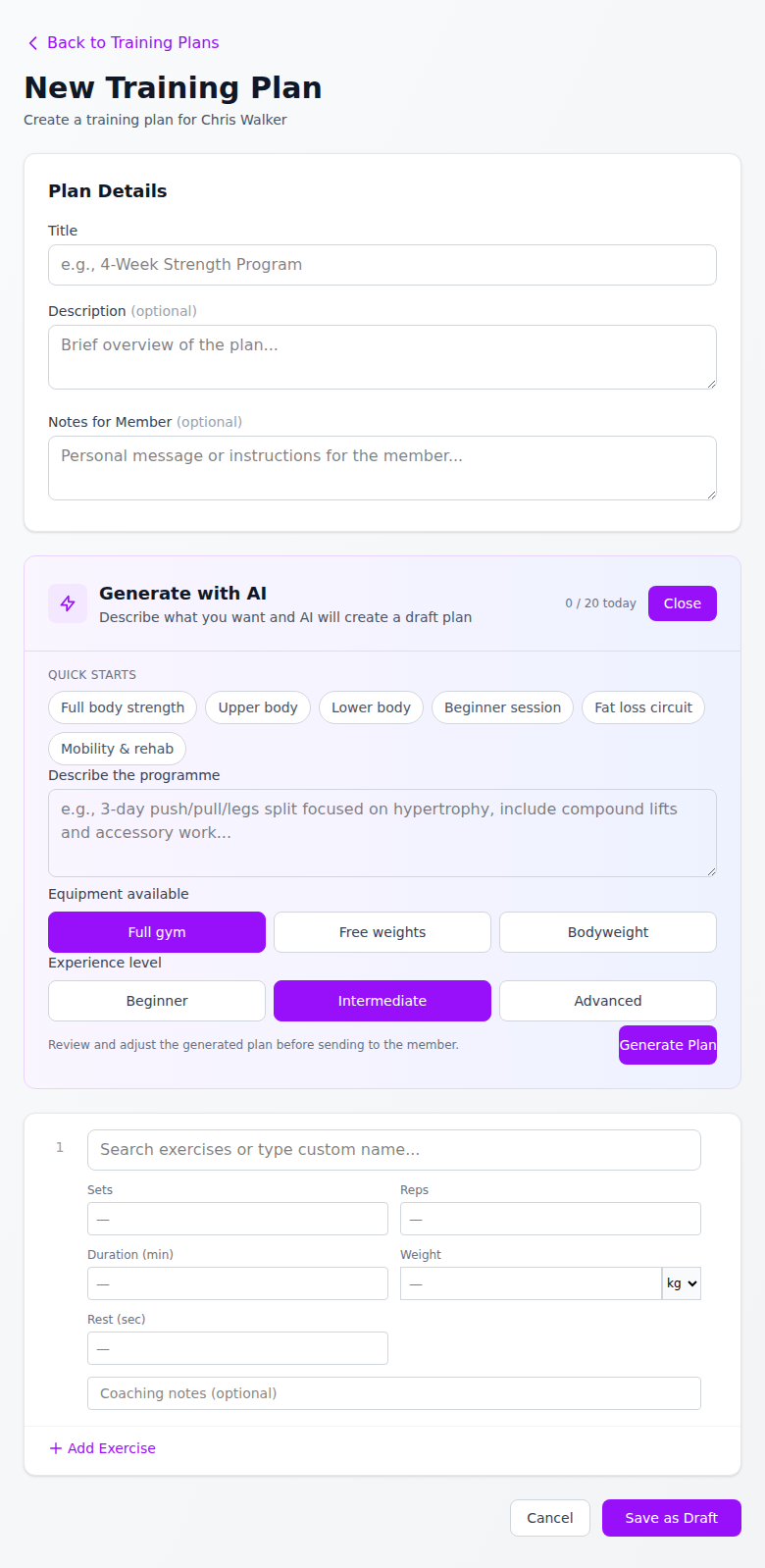
Each trainer account gets 20 AI generations per day — more than enough for a busy session.
Step 3: Review, Edit, and Save
After generating, the exercises populate directly into the plan builder. Each activity shows the exercise name, category, sets, reps, duration, weight, and rest period. You can:
- Change any value
- Swap out exercises using the search field (which searches your exercise library)
- Add or remove activities
- Add coaching notes to individual exercises
Once you're happy, save it as a draft. It won't go to the member until you explicitly hit Send to Member.
Step 4: Send It
When the plan is ready, open it from the trainer view and hit Send to Member. The status updates from Draft to Sent, and the member can now see it in their portal.
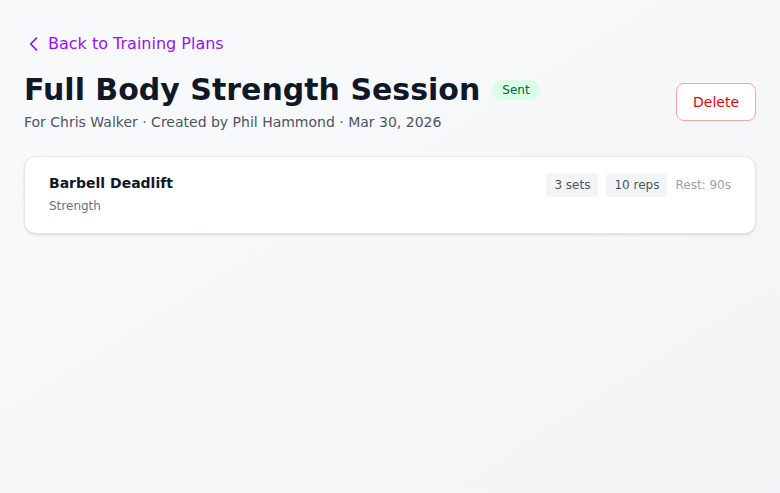
No email to compose. No PDF to attach. The plan just appears in their account.
What the Member Sees
Members log in and go to My Training Plans. Their sent plans are listed there, and each one shows the full session — exercise name, muscle category, sets, reps, and rest periods — in a clean, numbered format.
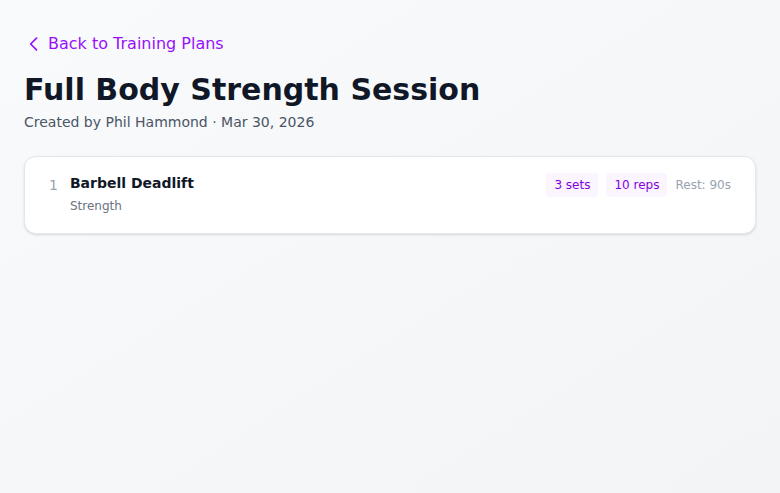
It works on mobile, which is where most members will be reading it — probably while standing next to the rack.
The Practical Reality
A few things worth knowing before you start using it:
You still need to review it. The AI doesn't know that your member has a dodgy shoulder or that your gym doesn't have a cable machine despite "Full gym" being selected. Check it before you send it.
The quick starts are genuinely useful. Clicking "Beginner session" and hitting Generate will give you a reasonable starting point faster than typing out a description. For standard session types, they're the quickest route.
Plans are per-member. Each plan is attached to a specific member, so you won't accidentally send one person's programme to someone else. The system also tracks who created the plan and when it was sent.
Draft first, send second. There's no "undo" on a sent plan. Save as draft, review it, then send. Takes five seconds longer and saves any awkward conversations.
The Bottom Line
If you're writing the same types of training session repeatedly, AI generation saves real time. Not hours of research or complex setup — just a faster way to get from "member needs a programme" to "member has a programme."
It's available now in ClearGym on all plans.
Ready to Try It?
ClearGym gives trainers the tools to spend less time on admin and more time coaching. AI training plans are included — no extra charge, no separate subscription. Start your free trial and see how much time you get back.


